


Product: Rolife Classic Carousel 3D Wooden Puzzle AMC01
SKU: AMC01
Product type: Music box 3D wooden puzzle
Quick answer: If your Rolife Classic Carousel AMC01 has no electronic response, an unexpected touch-switch effect, or rotation problems, start by checking the power connection, Type-C cable, touch switch, terminal insertion, gear alignment, wax, and base rail grease. For the full manual or assembly video, visit Assembly Guides and Manuals. For missing, broken, uncut, or visibly damaged parts, use Part Replacement.
In This Guide
Power and Switch Problems
Why Does the Third Touch-Switch Operation Not Match the Instructions?
Cause: The terminals are incorrectly inserted.
Solution: Check the terminal insertion and reconnect it according to the AMC01 instructions.
Why Is There No Response When Checking the Electronic Parts?
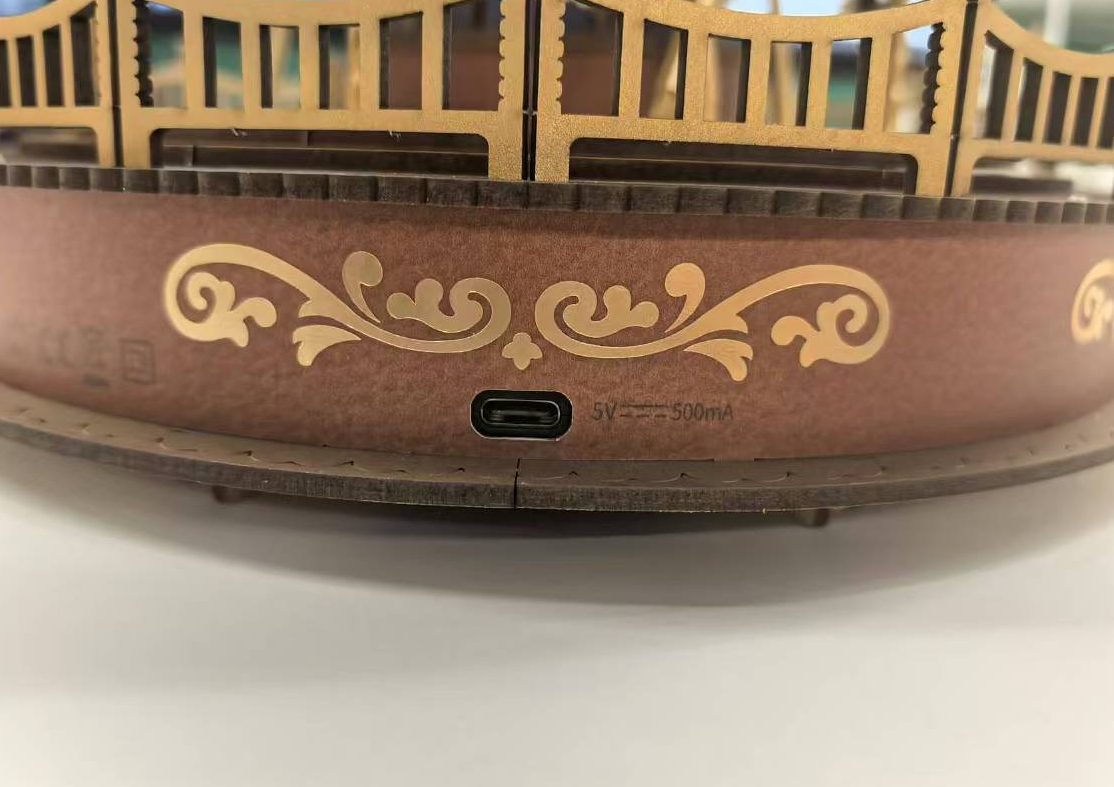
1. The electronic parts may not be connected to power. Use a 5V 500mA power supply with a Type-C cable for the connection.
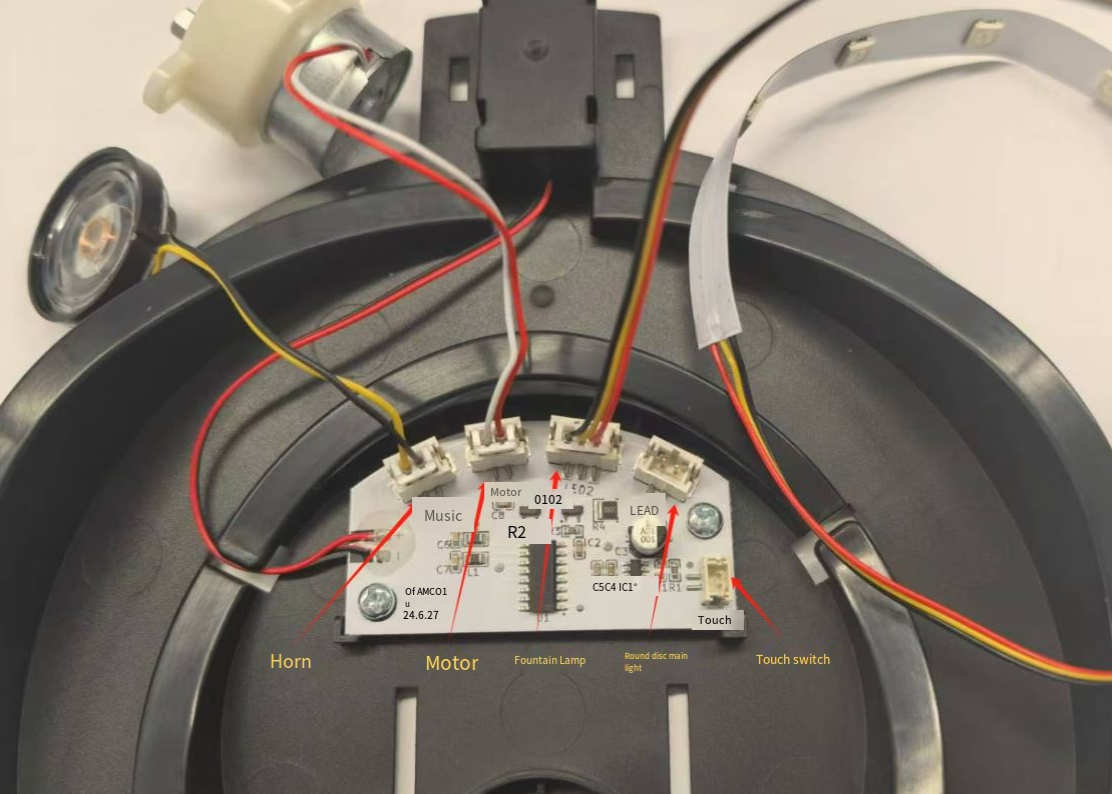
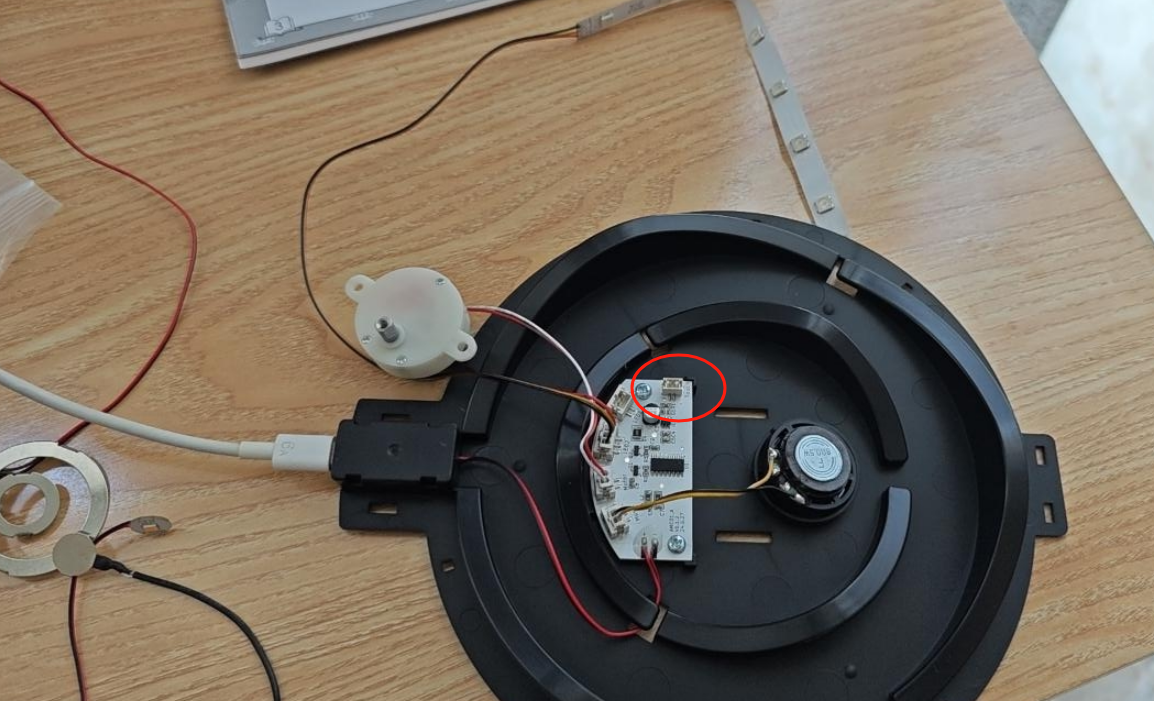
2. The touch switch may not be inserted. Check whether the touch switch is inserted correctly.
Rotation and Movement Problems
Why Won't the Carousel Rotate After Assembly?
1. Check whether the two C7 gears are aligned.
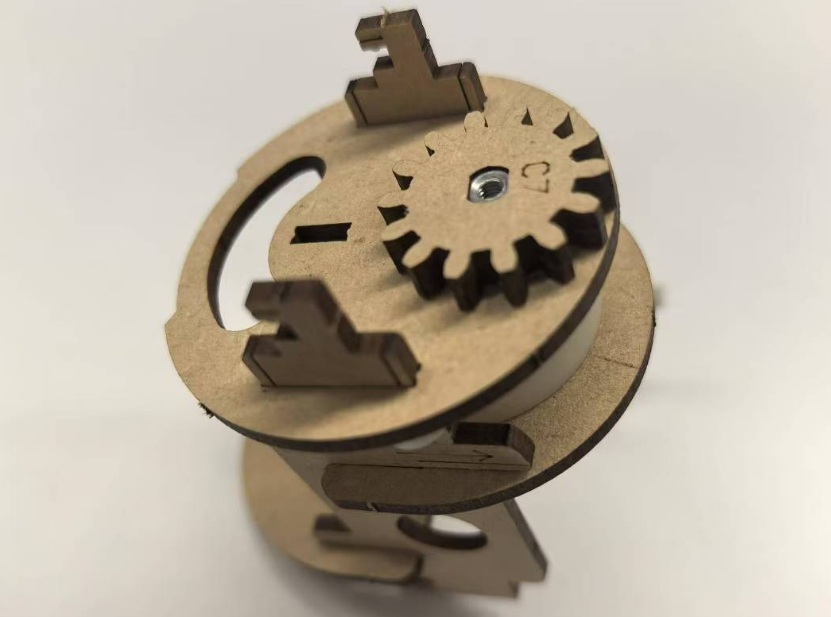
2. Check whether the patterns on F3 and F5 are aligned with each other.
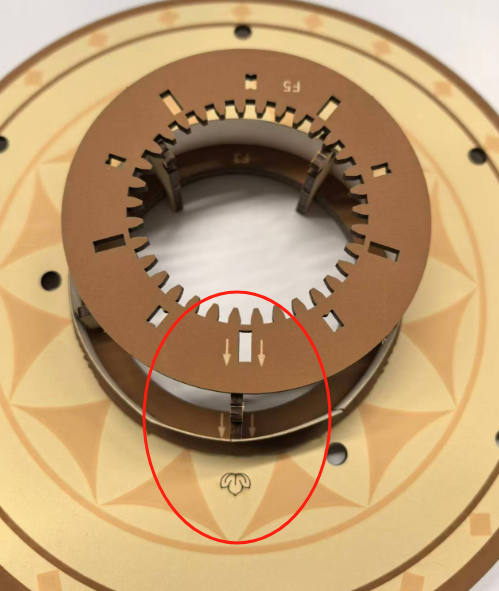
3. Check whether the gears are engaged. If they are not engaged, check whether C4 is fully inserted.
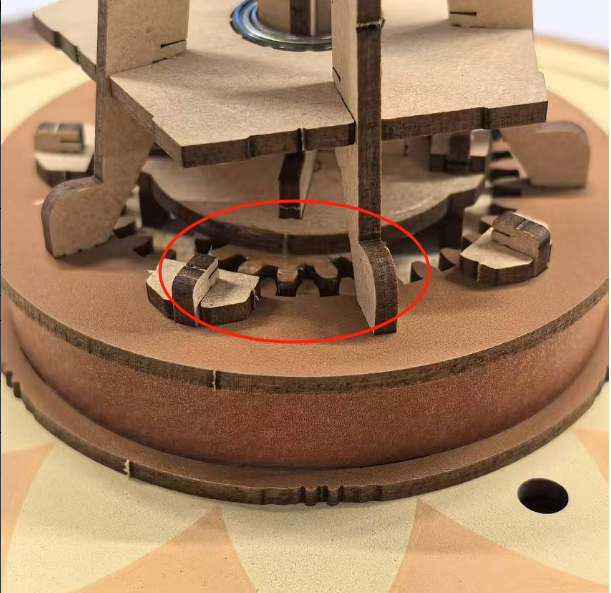
Note: The inner gear is positioned slightly higher than the outer gear.
What Should You Do If Jamming or Uneven Rotation Occurs?
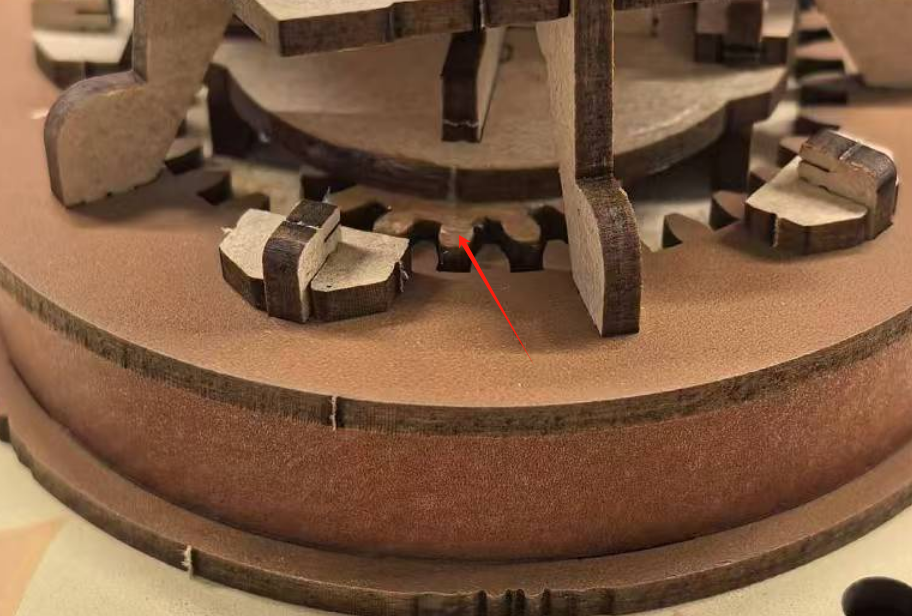
1. Wax the gear.
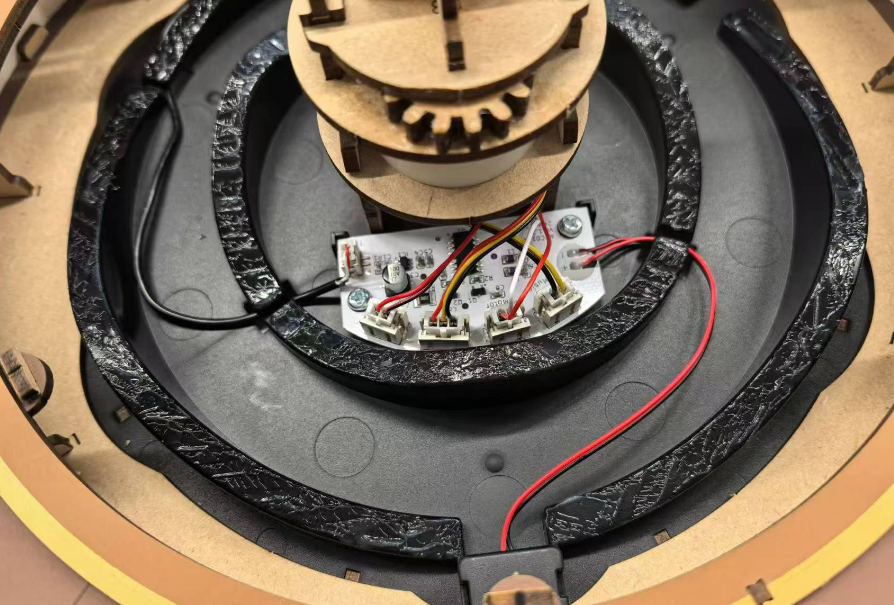
2. Apply grease to the base rail.
Need More Help?
If your issue is not covered here or the problem continues after these checks, email service@robotime.com or contact Robotime Support.
Robotime is a creative lifestyle company dedicated to designing and developing 3D puzzles, toys, and wooden handicrafts. Subscribe to learn more.
Enjoy Robotime building guides and creative inspiration?
Add Robotime as a Preferred Source on Google to see more of our latest stories in Search.
 Add Robotime to your Preferred Sources


