



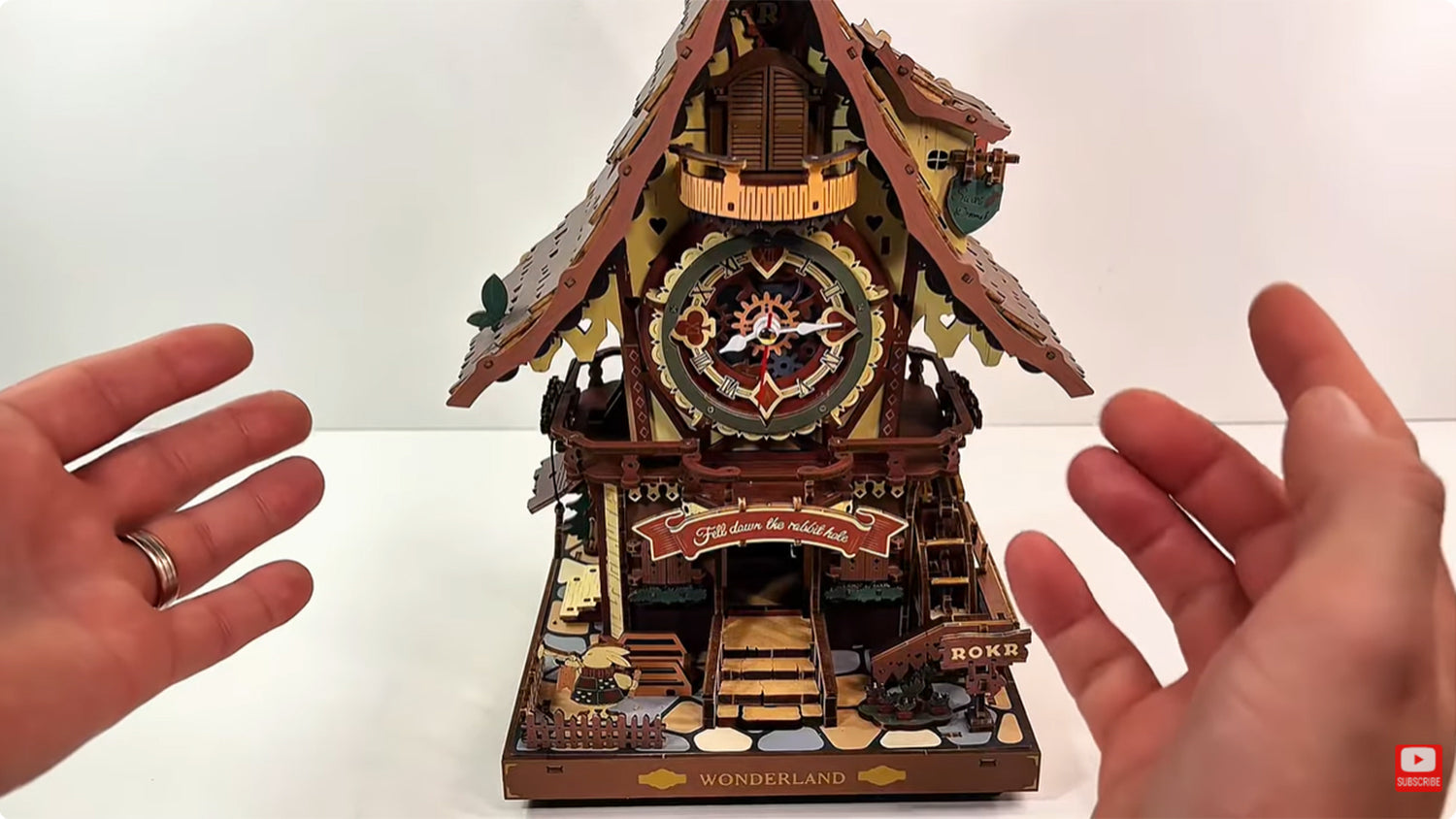
Als je de ROKR-koekoeksklok hebt gemonteerd maar hij slaat niet op het juiste uur, dan ben je niet de enige. Veel doe-het-zelvers ervaren dit probleem direct na de montage. Gelukkig is de oplossing eenvoudig en kan deze worden uitgevoerd zonder speciaal gereedschap of het demonteren van de hele set.
Deze blog biedt een stap-voor-stap handleiding zodat je de uurslag van je ROKR-koekoeksklok kunt herstellen. Laten we meteen beginnen.
Deze gids is afkomstig van @MartinsAssemblyHaven, en je kunt ook zijn video's bekijken voor betere oplossingen.
Stap 1: Controleer de vogel en de slag
De eerste stap is controleren of de vogel en de slag naar behoren werken. Ga naar de achterkant van het model, want daar voorzie je de set van stroom. Je kunt een Type-C USB-kabel gebruiken die je onderaan de set aansluit, of je kunt drie AAA-batterijen in het batterijvak plaatsen.
Ga vervolgens naar de voorkant van het model. Druk op het kleine knopje onderaan de set. Als de kleine vogel naar buiten springt, zijn geluid maakt en weer naar binnen gaat, dan zit je goed.

Druk vervolgens op de hendel aan de voorkant van de set en houd deze ingedrukt. Het lampje moet twee of vier keer knipperen. Als het twee keer knippert, staat de uurslag aan. Als het vier keer knippert, betekent dit dat de uurslag uit staat.
Als de vogel en de slag niet goed werken, kan dit het gevolg zijn van een verkeerde bedrading of een defect onderdeel. Je kunt indien nodig reserveonderdelen bestellen ter vervanging.
Stap 2: Stop de slinger
Pak een lange schroevendraaier met een kleine punt en stop de slinger. Aan de achterkant van het model zit een schroef op een zwart wiel die je met de schroevendraaier kunt draaien.

Elke keer dat je tegen de klok in draait en zodra het het interne uur passeert, zou de slag moeten beginnen. Zelfs als de klok niet synchroon loopt met de slag, moet je dit testen.
Stap 3: Koppel de stroom los
Haal de batterijen eruit of trek de Type-C USB-kabel los. Steek vervolgens de schroevendraaier terug op de plek waar de schroef op het zwarte wiel zit en draai langzaam tegen de klok in tot je een kleine, zachte klik hoort.

Zodra je de klik hoort, stop je direct. Houd de schroevendraaier op zijn plaats zodat het wiel niet verder draait.
Stap 4: Kalibreer de klok
Ga naar de wijzerplaat aan de voorkant van de set. Negeer de secondewijzer en focus op de uren- en minutenwijzer. Verplaats de uren- en minutenwijzers samen naar een willekeurig uur, zoals 12, 1, 2 of 3. Zorg ervoor dat ze beide op een uur staan om de klok te kalibreren.

Terwijl je de schroevendraaier nog steeds op zijn plaats houdt, draai je deze tegen de klok in om de exacte tijd in te stellen waarop je de wijzers hebt gezet. Blijf draaien zodra je de klik hoort.
Stap 5: Zet de stroom weer aan
Ga naar de achterkant van de set, plaats de drie AAA-batterijen in het batterijvak of sluit je Type-C USB-kabel aan. De klok zou nu moeten werken. Je kunt de slag aan- en uitzetten om te testen of alles perfect is.

De koekoeksklok werkt goed.
Je kunt verder testen of de slag elk uur plaatsvindt door de schroevendraaier in de achterkant van de set te steken en de schroef tegen de klok in te draaien tot het volgende uur wordt bereikt om te zien of de slag klinkt. Herhaal dit proces om er zeker van te zijn dat hij elk uur slaat.
Tips en veelgemaakte fouten om te vermijden
- Als de schroef niet gemakkelijk beweegt, stop dan. Forceer niets, want forceren kan interne onderdelen beschadigen.
- Het te ver doordraaien van de schroef kan het mechanisme ontregelen. Maak in plaats daarvan kleine, stapsgewijze aanpassingen.
- Zorg ervoor dat de ROKR-koekoeksklok waterpas hangt. Als hij ongelijkmatig aan een muur of oppervlak hangt, kan dit de slinger beïnvloeden, wat weer gevolgen kan hebben voor de tijdwaarneming of de nauwkeurigheid van de slag.
- Deze mechanische klok heeft geen smering nodig. Als je echter onderdelen wilt smeren, gebruik dan alleen speciale klokolie.
FAQs
Wat als mijn klok op het halve uur slaat in plaats van op het hele uur?
Het slaan op het halve uur kan erop wijzen dat de schroef aan de achterkant van de set niet goed is uitgelijnd. Ga naar de achterkant van de set, koppel de stroom los, zet de wijzers op het gewenste uur en gebruik een schroevendraaier om de schroef tegen de klok in te draaien tot je een zachte klik hoort.
Wat als de slag vertraagd of te laat is?
Een vertraging van enkele seconden is normaal voor mechanische modellen zoals de ROKR-koekoeksklok. Een lange vertraging kan echter betekenen dat de slinger te langzaam zwaait. Controleer of de klok waterpas hangt en of de slinger vrij kan zwaaien.
Moet ik mijn set smeren?
Niet noodzakelijk. ROKR mechanische 3D-puzzels zijn ontworpen om droog te lopen. Het toevoegen van olie kan stofophoping veroorzaken en de klok doen stoppen. Als je voelt dat de onderdelen stroef lopen, gebruik dan uitsluitend klokspecifieke olie om de onderdelen weer soepel te laten bewegen.
Moet ik de schroef gebruiken om de tijd elke dag te veranderen?
Nee. Deze wordt alleen gebruikt voor de eerste installatie of het oplossen van problemen. Zodra je de slag naar het uur hebt ingesteld, zou alles soepel moeten lopen. Dagelijkse tijdaanpassingen kunnen worden gedaan met de minutenwijzer.
Moet ik de klok uit elkaar halen om de slag te repareren?
Absoluut niet. Deze gids biedt een snelle, eenvoudige oplossing waarvoor geen demontage nodig is.
Waarom is het geluid van mijn koekoek zwak?
Als het geluid zwak is, controleer dan de speling van de koekoeksarm, de kracht van de slinger of te strak aangedraaide onderdelen. Maak te strakke verbindingen los om alles soepel te laten verlopen.
Conclusie
De bovenstaande stappen bieden een gedetailleerde gids over het herstellen van de juiste uurslag op je ROKR-koekoeksklok. Het is snel, effectief, DIY-vriendelijk en, het belangrijkste, er is geen demontage nodig. Dus de volgende keer dat je klok niet op het juiste uur slaat, geen paniek. Door deze stappen te volgen, is het zo gepiept.


Ehinomen Ihendeson
Ehinomen is an expert SEO content writer who loves all things creative and hands-on! With a deep passion for storytelling, creative lifestyle, and hobby niches, she has crafted engaging and search-engine optimized content since 2022.
Robotime is a creative lifestyle company dedicated to designing and developing 3D puzzles, toys, and wooden handicrafts. Subscribe to learn more.
Enjoy Robotime building guides and creative inspiration?
Add Robotime as a Preferred Source on Google to see more of our latest stories in Search.
 Add us on Google
Ehinomen Ihendeson
Ehinomen is an expert SEO content writer who loves all things creative and hands-on! With a deep passion for storytelling, creative lifestyle, and hobby niches, she has crafted engaging and search-engine optimized content since 2022.
Robotime is a creative lifestyle company dedicated to designing and developing 3D puzzles, toys, and wooden handicrafts. Subscribe to learn more.


7 reacties
De koekoek komt wel naar buiten maar gaat dan niet weer naar binnen
Paul Steensel van der Aa
Mon coucou sonne avec 30 minutes df retard il est stable comment resoudre le problrme
Roussel
my bid does not flap its wings when it cookoos
Nico Lauw
no matter what I do the chime will not work on the hour. It will chime every 15 mins after the hour. what am I doing wrong. Ive done it watching your how to guide .
JUDY NAPIER
I have adjusted the chime many times and it is still 2-3 minutes late. Is this the best I can do?
Dottie
De koekoek roept elk uur maar 3 keer, wat kan het probleem zijn. Graag reactie.
jan Heijne
cuckoo does not come out even after pressing bottom step
Colin Gronow
Laat een reactie achter
Deze site wordt beschermd door hCaptcha en het privacybeleid en de servicevoorwaarden van hCaptcha zijn van toepassing.