

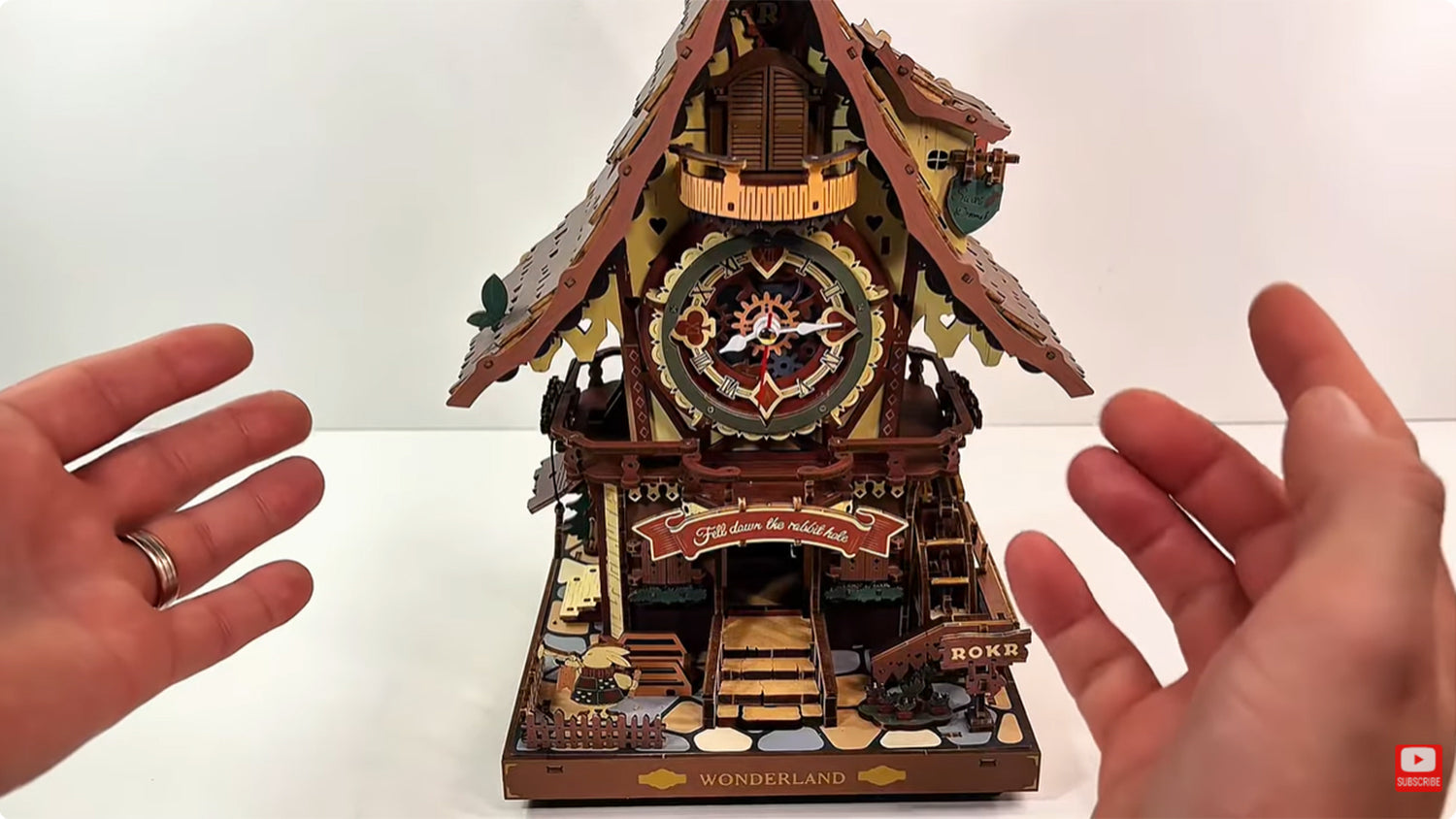
Si vous avez assemblé l'horloge coucou ROKR mais qu'elle ne sonne pas à l'heure correcte, vous n'êtes pas seul. De nombreux amateurs de bricolage rencontrent ce problème juste après l'assemblage. Heureusement, la solution est simple et peut être réalisée sans outils spéciaux ni démontage complet du kit.
Ce blog présente un guide étape par étape pour restaurer les carillons horaires de votre horloge coucou ROKR. Allons-y directement.
Ce guide provient de @MartinsAssemblyHaven, et vous pouvez également regarder ses vidéos pour de meilleures solutions.
Étape 1 : Vérifier l'oiseau et le carillon
La première étape consiste à vérifier que l'oiseau et le carillon fonctionnent correctement. Allez à l'arrière du modèle, car c'est là que vous alimenterez votre kit. Vous pouvez utiliser un câble USB Type-C à brancher au bas du kit, ou insérer trois piles AAA dans le boîtier.
Ensuite, allez à l'avant du modèle. Appuyez sur le petit bouton au bas du kit. Si le petit oiseau sort, sonne et rentre, alors vous êtes prêt.

Ensuite, poussez la marche à l'avant du kit et maintenez-la enfoncée. Le voyant devrait clignoter deux ou quatre fois. S'il clignote deux fois, les carillons horaires sont activés. S'il clignote quatre fois, cela signifie que le carillon horaire est désactivé.
Si l'oiseau et le carillon ne fonctionnent pas correctement, cela peut être dû à un mauvais câblage ou à un dysfonctionnement d'une pièce. Vous pouvez commander des pièces de rechange si nécessaire.
Étape 2 : Arrêter le pendule
Prenez un long tournevis avec une petite pointe et arrêtez le pendule. À l'arrière du modèle, il y a une vis située sur une roue noire que vous pouvez tourner à l'aide du tournevis.

Chaque fois que vous tournez dans le sens inverse des aiguilles d'une montre et dès qu'elle passe son heure interne, le carillon devrait commencer à fonctionner. Même si l'horloge n'est pas synchronisée avec le carillon, vous devrez faire le test.
Étape 3 : Débrancher l'alimentation
Retirez les piles ou débranchez le câble USB Type-C. Ensuite, remettez le tournevis là où se trouve la vis sur la roue noire et tournez lentement dans le sens inverse des aiguilles d'une montre jusqu'à entendre un petit clic léger.

Dès que vous entendez le clic, arrêtez-vous. Maintenez le tournevis en place pour que la roue ne tourne plus.
Étape 4 : Calibrer l'horloge
Allez sur le cadran de l'horloge à l'avant du kit. Ignorez la trotteuse des secondes et concentrez-vous sur les aiguilles des heures et des minutes. Déplacez les aiguilles des heures et des minutes ensemble sur n'importe quelle heure, comme 12, 1, 2 ou 3. Assurez-vous que les deux sont sur l'une des heures pour calibrer l'horloge.

Tout en maintenant le tournevis en place, tournez-le dans le sens inverse des aiguilles d'une montre pour régler l'heure exacte sur laquelle vous placez les aiguilles de l'horloge. Continuez à tourner dès que vous entendez le clic.
Étape 5 : Remettre l'appareil sous tension
Allez à l'arrière du kit, insérez les trois piles AAA dans le boîtier ou branchez votre câble USB Type-C. L'horloge devrait maintenant fonctionner. Vous pouvez activer et désactiver le carillon pour tester si tout est parfait.

L'horloge coucou fonctionne bien.
Vous pouvez tester davantage si le carillon se déclenchera à chaque heure : insérez le tournevis à l'arrière du kit pour tourner la vis dans le sens inverse des aiguilles d'une montre jusqu'à ce qu'elle atteigne l'heure suivante pour voir si la sonnerie se produit. Répétez le processus pour être sûr qu'elle sonne à chaque heure.
Conseils et erreurs courantes à éviter
- Si la vis ne bouge pas facilement, arrêtez-vous. Ne forcez rien, car cela pourrait endommager les pièces internes.
- Une rotation excessive de la vis pourrait désaligner le mécanisme. Au lieu de cela, effectuez de petits ajustements progressifs.
- Assurez-vous que l'horloge coucou ROKR est de niveau. Si elle est posée de manière inégale sur un mur ou une surface, cela peut affecter le pendule, ce qui peut à son tour affecter la précision de l'heure ou du carillon.
- Cette horloge mécanique ne nécessite pas de lubrification. Cependant, si vous souhaitez lubrifier des pièces, assurez-vous d'utiliser une huile spécifique pour horloges.
FAQ
Que faire si mon horloge sonne à la demi-heure au lieu de l'heure pleine ?
Une sonnerie à la demi-heure peut indiquer que la vis à l'arrière du kit est mal alignée. Allez à l'arrière du kit, débranchez l'alimentation, réglez les aiguilles sur l'heure prévue et utilisez un tournevis pour tourner la vis dans le sens inverse des aiguilles d'une montre jusqu'à entendre un clic léger.
Que faire si le carillon est retardé ou en retard ?
Un retard de quelques secondes est normal pour les modèles mécaniques comme l'horloge coucou ROKR. Cependant, un long retard peut signifier que le pendule oscille trop lentement. Vérifiez que l'horloge est de niveau et que le pendule oscille librement.
Dois-je lubrifier mon kit ?
Pas nécessairement. Les puzzles 3D mécaniques ROKR sont conçus pour fonctionner à sec. L'ajout d'huile peut provoquer une accumulation de poussière et arrêter l'horloge. Si vous sentez que les pièces sont rigides, utilisez uniquement de l'huile spécifique pour horloges pour permettre aux pièces de bouger librement.
Dois-je utiliser la vis pour changer l'heure tous les jours ?
No. Elle n'est utilisée que pour la configuration initiale ou le dépannage. Une fois que vous avez réglé votre carillon sur l'heure, tout devrait fonctionner normalement. Les ajustements quotidiens de l'heure peuvent être effectués à l'aide de l'aiguille des minutes.
Dois-je démonter l'horloge pour réparer le carillon ?
Absolument pas. Ce guide propose une solution rapide et simple qui ne nécessite aucun démontage.
Pourquoi le son de mon coucou est-il faible ?
Si le son de votre coucou est faible, vérifiez le dégagement du bras du coucou, la force du pendule ou les pièces trop serrées. Desserrez les connexions trop serrées pour que tout fonctionne correctement.
Conclusion
Les étapes ci-dessus présentent un guide détaillé sur la façon de restaurer les carillons horaires appropriés sur votre horloge coucou ROKR. C'est rapide, efficace, accessible aux bricoleurs et, surtout, cela ne nécessite aucun démontage. Alors, la prochaine fois que votre horloge ne sonnera pas à la bonne heure, ne paniquez pas. Suivre ces étapes vous aidera à résoudre le problème en un rien de temps.


Ehinomen Ihendeson
Ehinomen is an expert SEO content writer who loves all things creative and hands-on! With a deep passion for storytelling, creative lifestyle, and hobby niches, she has crafted engaging and search-engine optimized content since 2022.
Robotime is a creative lifestyle company dedicated to designing and developing 3D puzzles, toys, and wooden handicrafts. Subscribe to learn more.
Enjoy Robotime building guides and creative inspiration?
Add Robotime as a Preferred Source on Google to see more of our latest stories in Search.
 Add us on Google
Ehinomen Ihendeson
Ehinomen is an expert SEO content writer who loves all things creative and hands-on! With a deep passion for storytelling, creative lifestyle, and hobby niches, she has crafted engaging and search-engine optimized content since 2022.
Robotime is a creative lifestyle company dedicated to designing and developing 3D puzzles, toys, and wooden handicrafts. Subscribe to learn more.


7 commentaires
De koekoek komt wel naar buiten maar gaat dan niet weer naar binnen
Paul Steensel van der Aa
Mon coucou sonne avec 30 minutes df retard il est stable comment resoudre le problrme
Roussel
my bid does not flap its wings when it cookoos
Nico Lauw
no matter what I do the chime will not work on the hour. It will chime every 15 mins after the hour. what am I doing wrong. Ive done it watching your how to guide .
JUDY NAPIER
I have adjusted the chime many times and it is still 2-3 minutes late. Is this the best I can do?
Dottie
De koekoek roept elk uur maar 3 keer, wat kan het probleem zijn. Graag reactie.
jan Heijne
cuckoo does not come out even after pressing bottom step
Colin Gronow
Laisser un commentaire
Ce site est protégé par hCaptcha, et la Politique de confidentialité et les Conditions de service de hCaptcha s’appliquent.